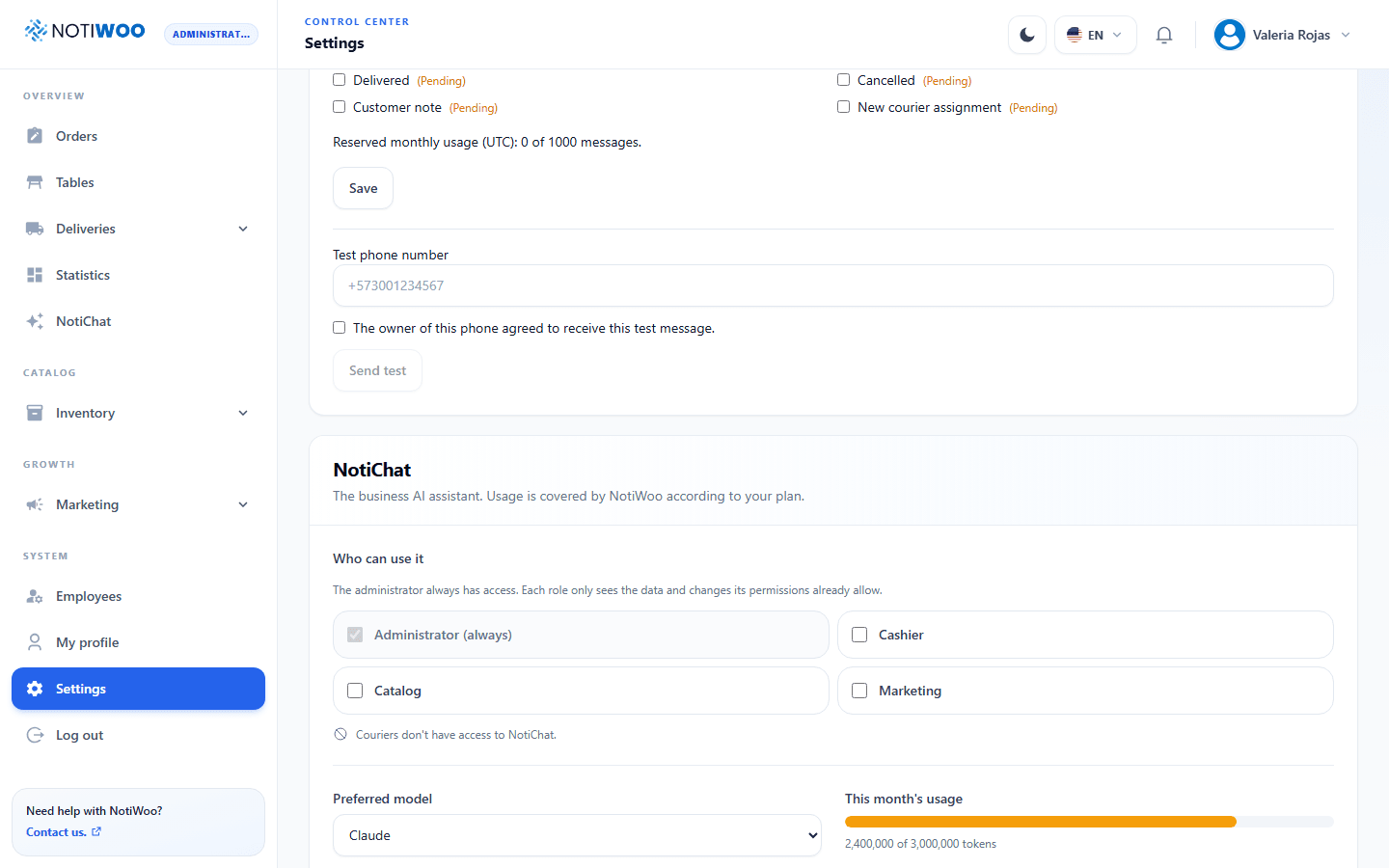
Configure NotiChat
The NotiChat card in Configuration is reserved for administrators.
Who can use it
Administrators always have access. Enable only roles that need assistance, such as Cashier, Catalog or Marketing. Couriers cannot use NotiChat.
Enabling chat does not expand a role's permissions: proposals must also respect permission requirements for the requested operation. Save access changes.
Provider and model
Choose the preferred provider from the available options: Claude, OpenAI or Gemini. Provider availability depends on station configuration.
For Gemini, the screen lists models and usage. Check the selected model, remaining requests and displayed reset time. Names and quotas may change; use the values shown in the interface.
Usage and limits
Review monthly consumption against the station budget. Gemini quotas may add per-minute or daily limits. A model with an exhausted daily allowance may be unavailable even when monthly budget remains.
Before using a free Gemini service with business data, review its data-processing notice and privacy. Teach staff to review proposals before confirming.