Use NotiChat
NotiChat lets you explore your business through conversations and propose changes. Administrators decide which roles can use it; couriers cannot. See configuration.
Ask a question
Open a conversation, choose an available provider and ask a specific question with a period and scope. For example:
- “Compare sales from the last seven days with the previous week.”
- “Show this month's best-selling products.”
- “Find customers who have not returned in thirty days.”
- “Prepare a product draft for a new burger.”
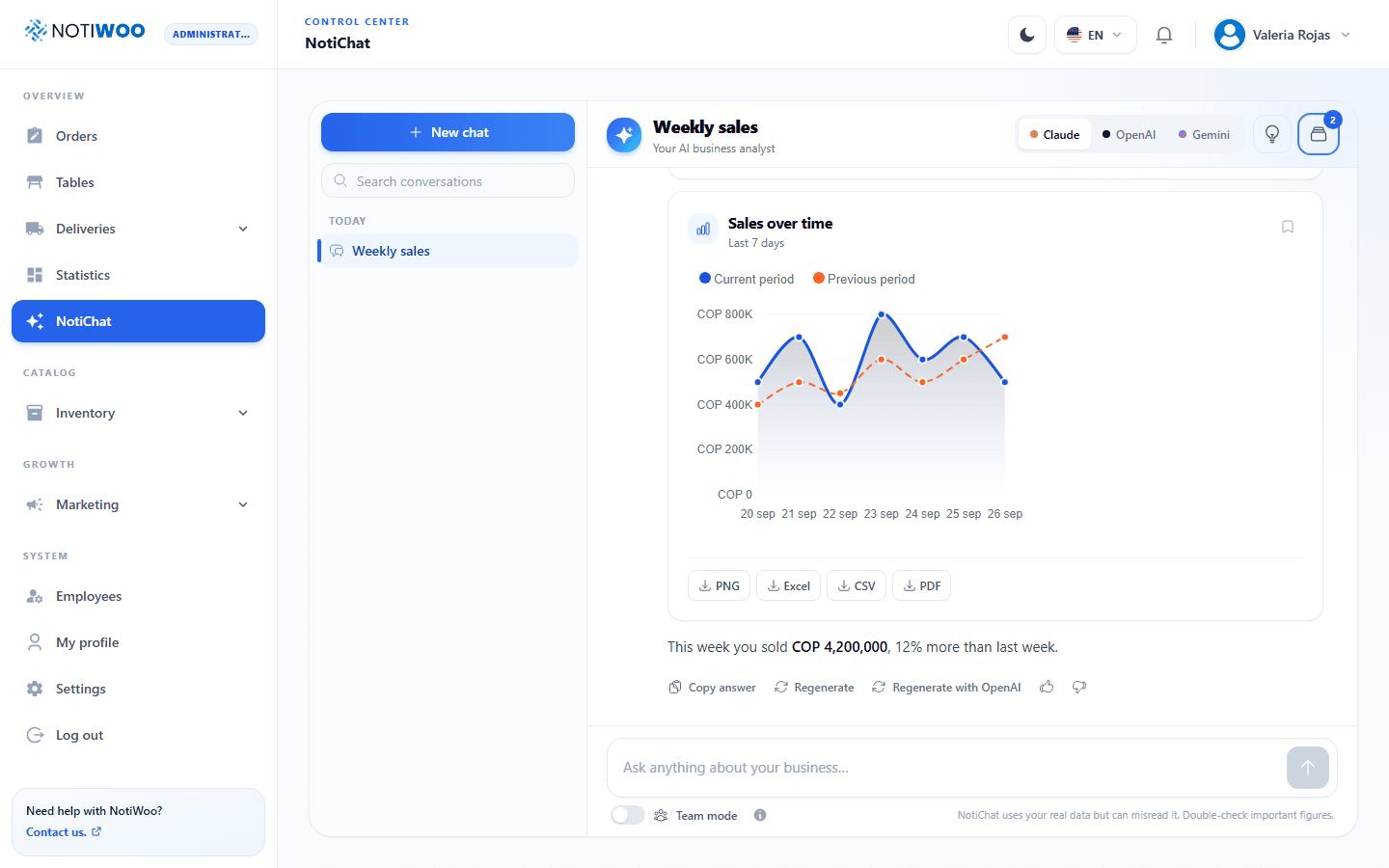
Replies may contain text, indicators, charts and tables. Charts and reports collects the results; each card offers its available download formats, such as PDF or Excel. Check the period and data before using a report.
Proposed changes
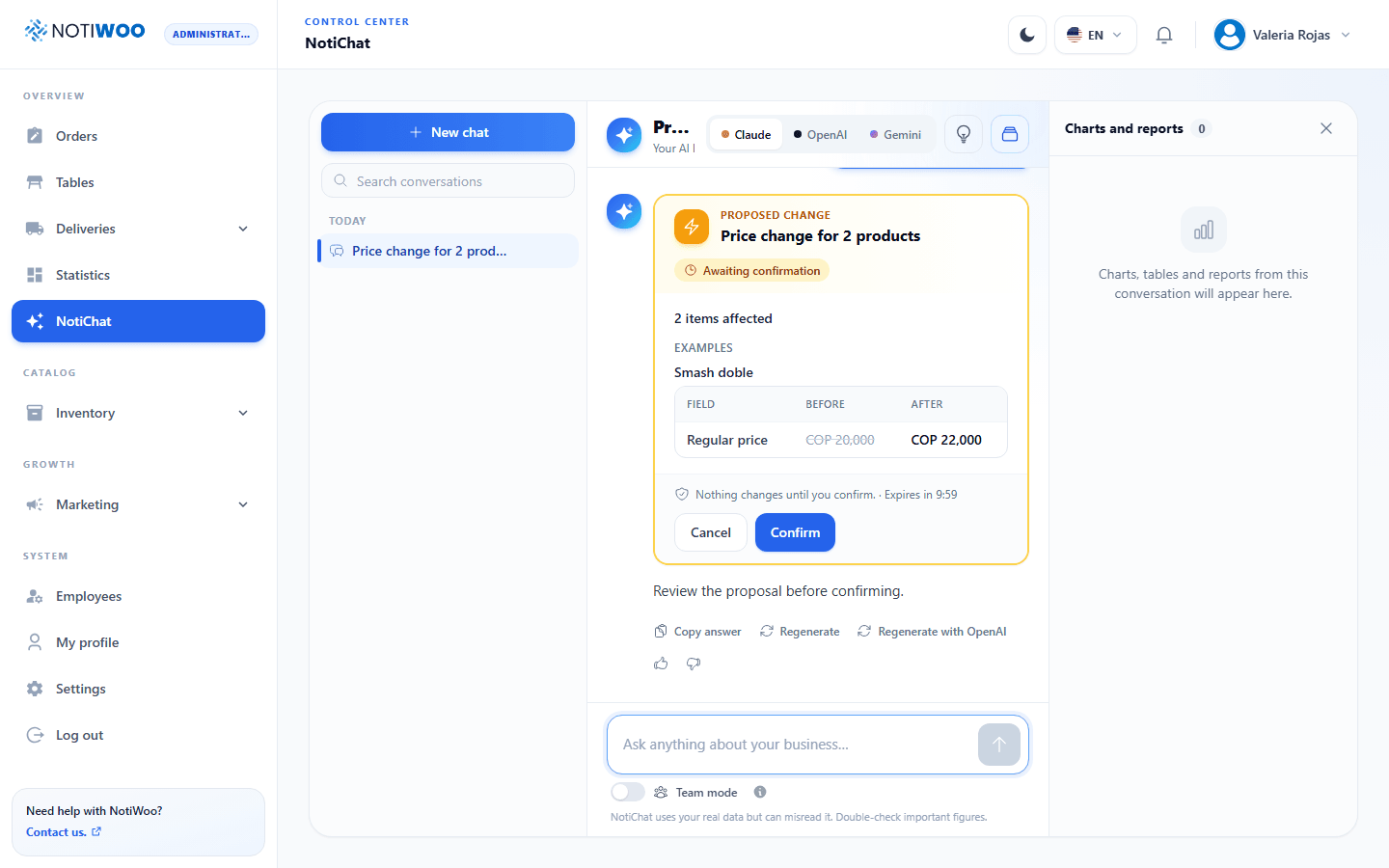
NotiChat can propose catalog changes, coupons, campaigns and employee management, subject to your permissions. A Proposed change card shows the scope and requests Confirm before applying it.
Review each proposal: names, prices, recipients, role and affected count. Created products are prepared as drafts for review. Undo appears only for operations that support reversal; do not assume every action can be undone.
Memory and conversations
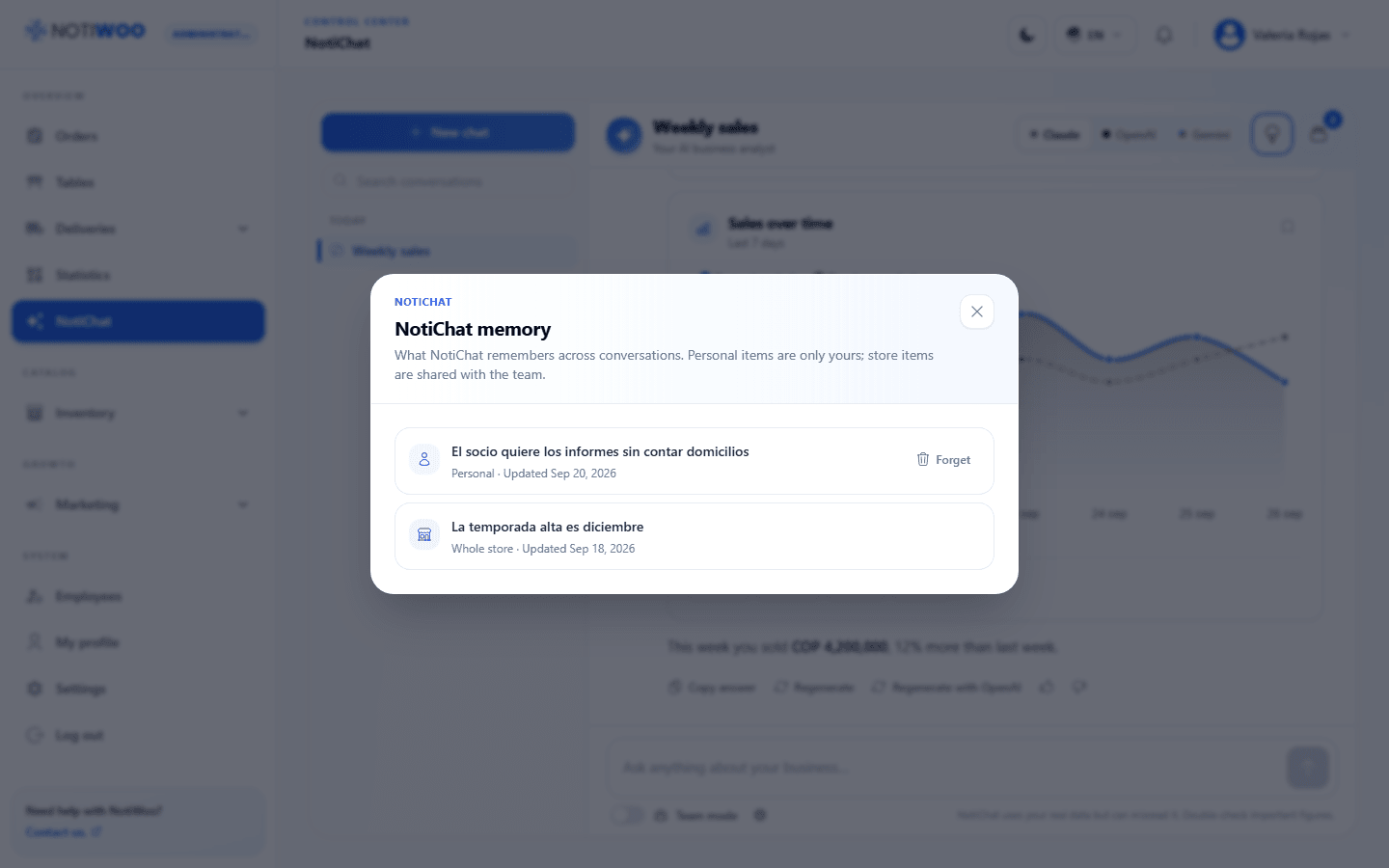
Memory retains useful instructions for future questions. Open Memory to review saved entries and delete those you can manage. Distinguish personal memories from entries shared with the station.
Avoid saving passwords, keys, payment information or unnecessary personal data. Deleting a memory and deleting a conversation are different actions.
Limits and errors
When a provider is overloaded, the interface may offer an alternative. If the monthly budget or a Gemini quota is exhausted, review the message and configuration; repeating the request does not increase the allowance.
Verify answers and proposed changes before making decisions. Query processing depends on the provider and service used; see privacy.