Manage orders
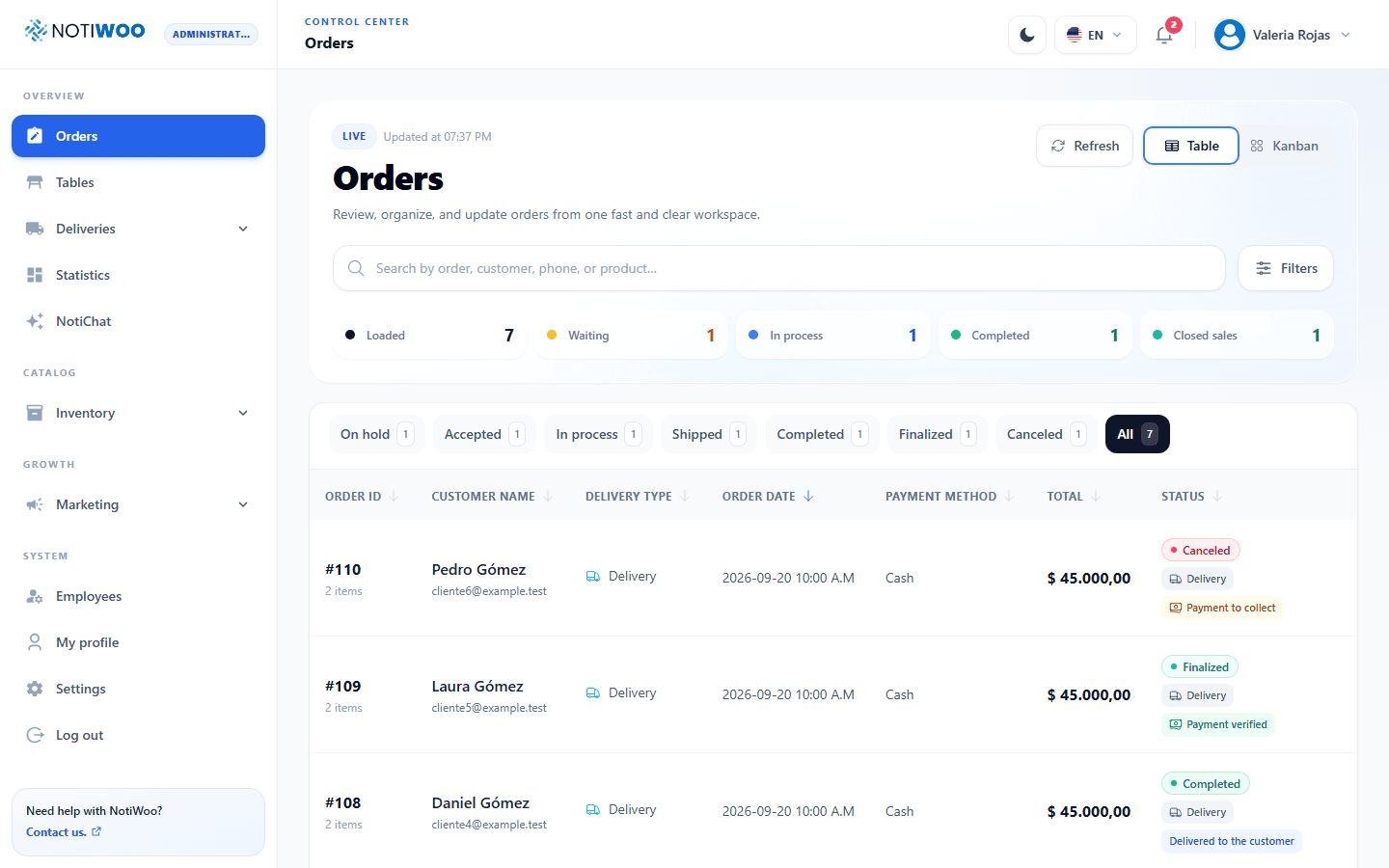
Orders provides Table and Kanban views of the same collection. Search, filters and details remain synchronized when switching views. The browser remembers your selected view.
Choose a view and filter
Use Table to compare amounts, sort columns and review dates. Use Kanban to follow workload by status and run the next action on each card.
Search by order, customer, phone or product. In Filters, combine status, service mode, payment, date and amount. Modes distinguish Delivery, Takeaway and Dine-in; table orders include the table name and area when available.
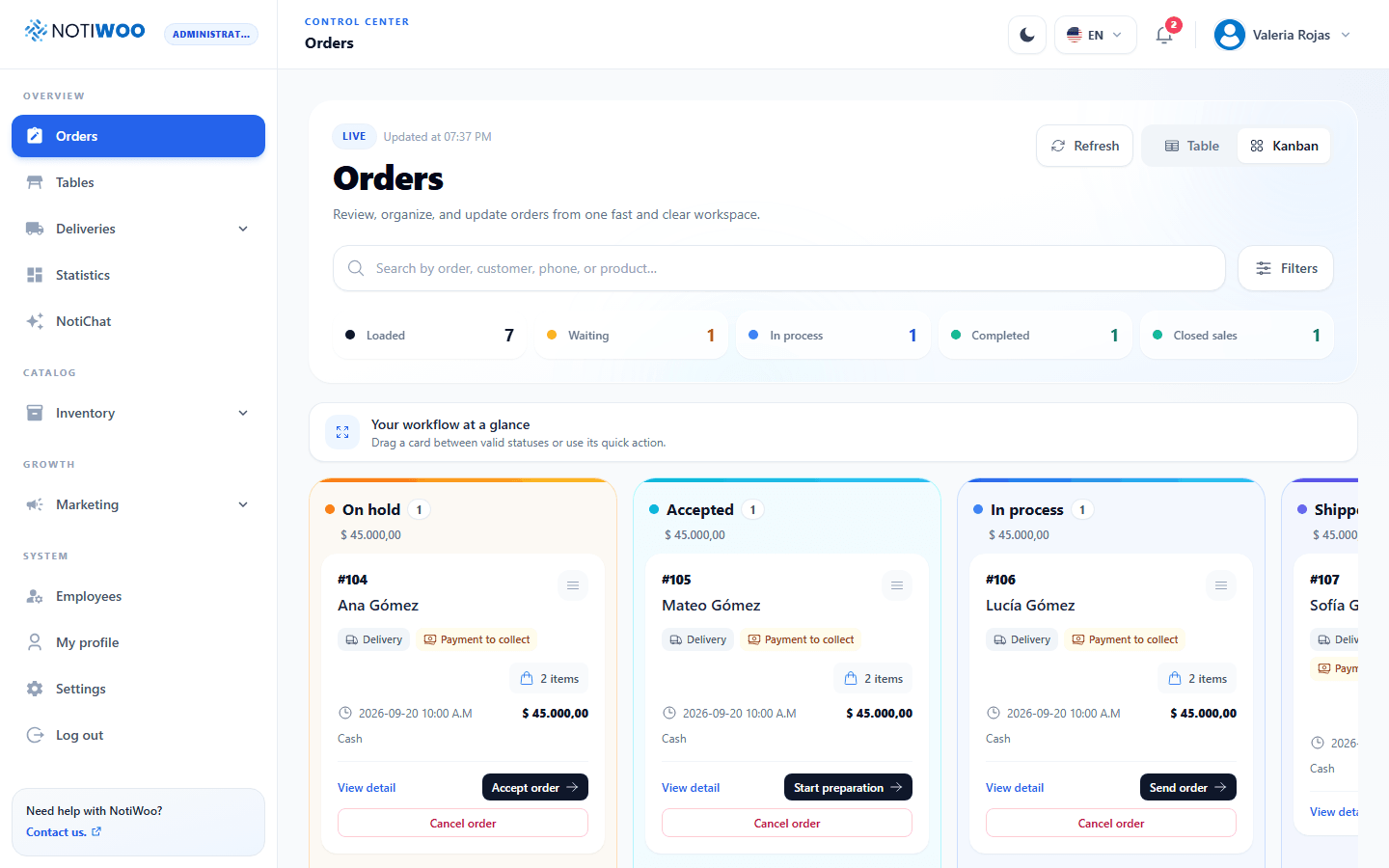
Follow the workflow
| Status | Usual next step |
|---|---|
| On hold | Accept order or cancel with a reason. |
| Accepted | Start preparation or cancel with a reason. |
| In process | Send order, Mark as ready or Served at table, depending on mode. |
| Shipped | The courier accepts, picks up and confirms delivery. |
| Completed | Verify payment and finalize sale, confirm pickup and finalize, or close bill. |
| Finalized | Closed sale; record a refund when appropriate. |
Completed does not mean the sale is paid and closed. For delivery it means delivered; for pickup, ready and awaiting collection; for dine-in, served. Finalized closes the sale after payment verification.
Controls offer actions valid for the order and your permissions. Do not drag cards to skip workflow steps.
Send a delivery
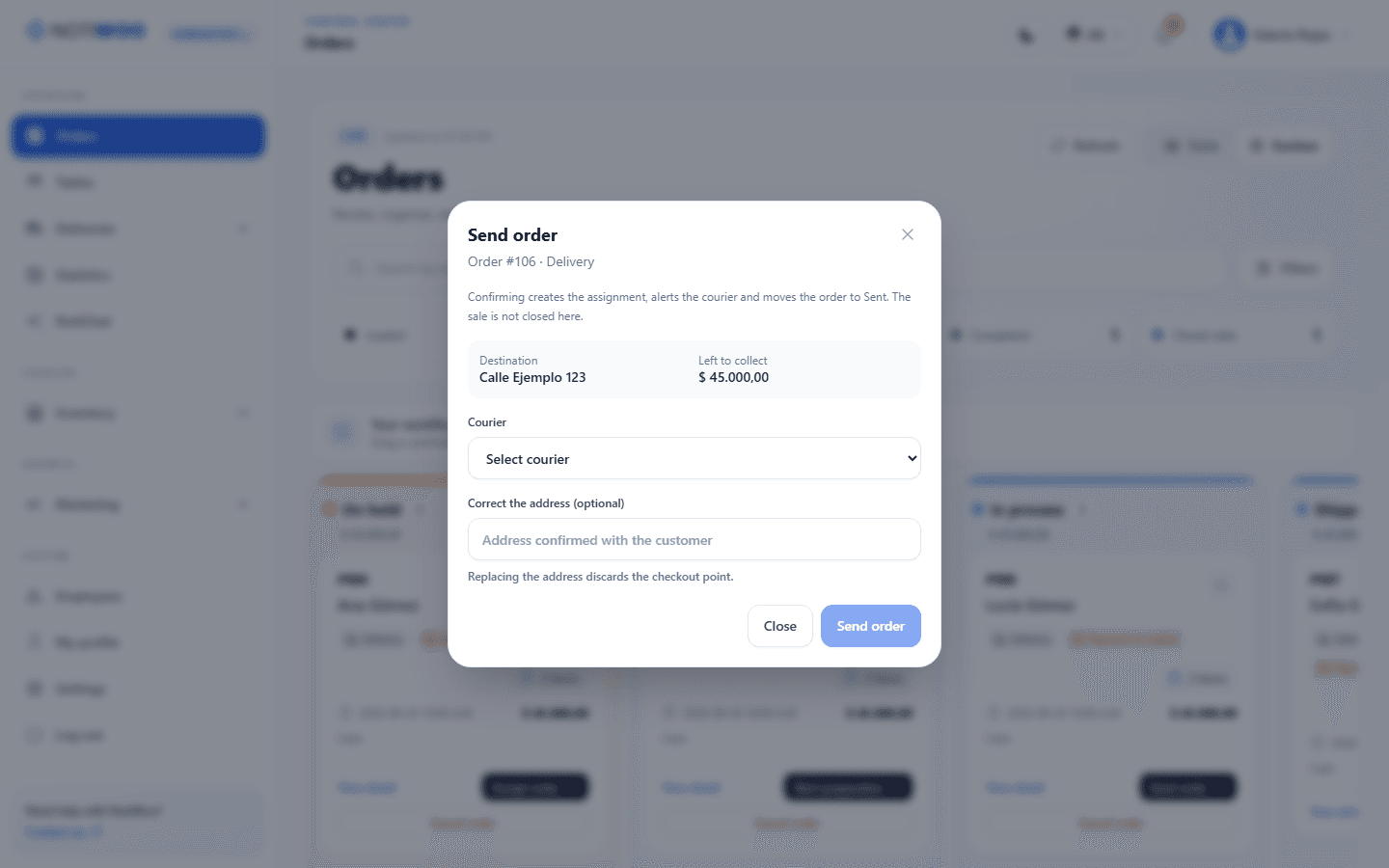
In Send order, review the recipient, address, courier and collection amount before confirming. The order becomes Shipped. You can also assign it from Dispatch.
Details, notes and notifications
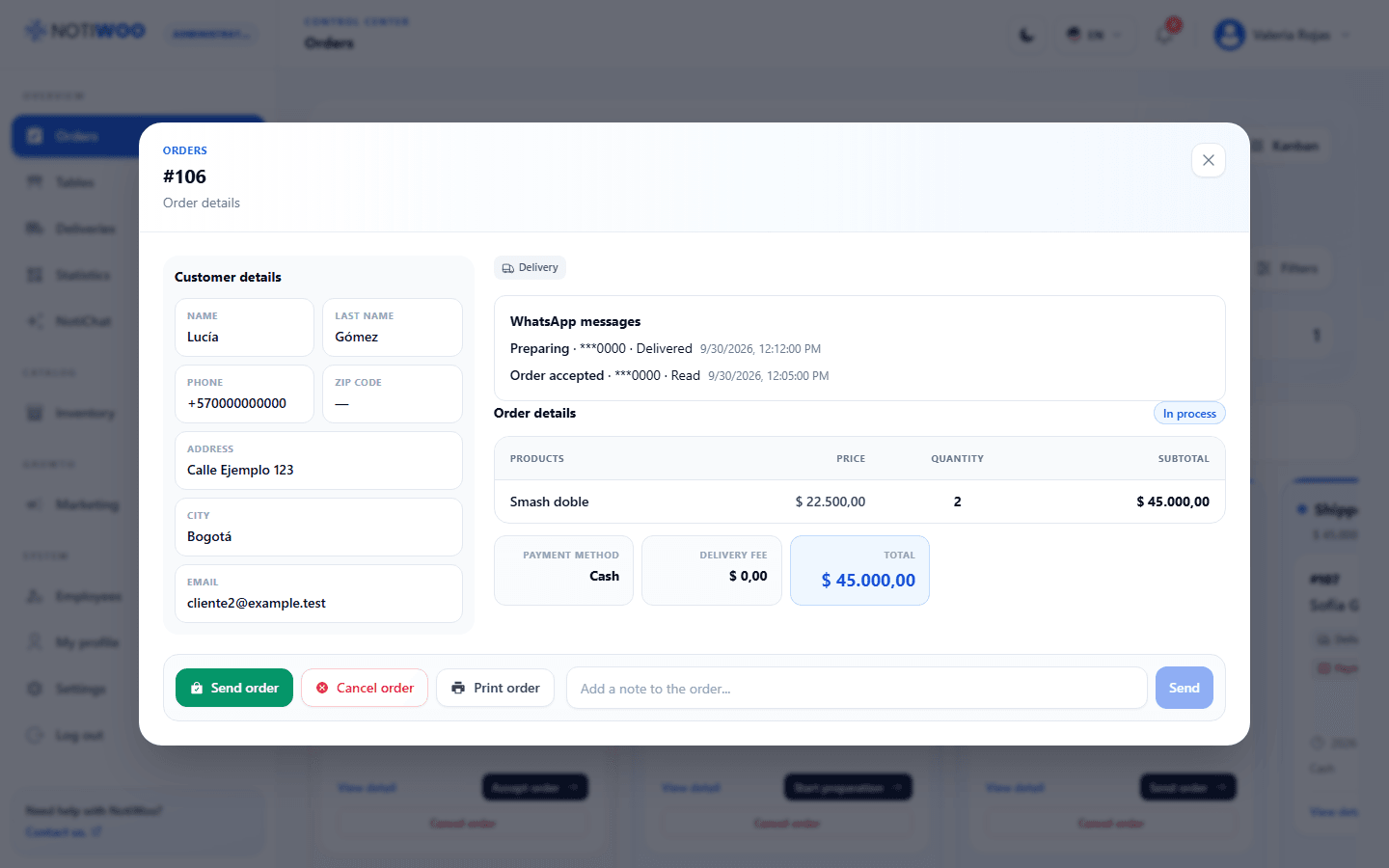
Open details to review the customer, products, variations, extras, notes, totals and payment. You can print, add a note and run the next available action. Details also show WhatsApp history and loyalty information when applicable.
Badges distinguish order, delivery, collection and synchronization status. A courier having collected payment does not mean the cashier has verified and finalized the sale.
Conflicts and synchronization
When WooCommerce and the app disagree, check the external status before resolving the conflict. Resolution requires a reason. Do not repeat operations while an update is pending.
The store does not recognize all workflow statuses means plugin activation and version should be checked. See compatibility.
Previous and incoming orders
Orders created before the new workflow retain Process, Complete and Cancel actions. Not every historical order offers the new stages.
New orders arrive through synchronization and real-time notifications; sound and printing depend on settings. The operational view loads the 200 most recent events. Check WooCommerce for older orders.
See statuses, service modes and collections to interpret each badge.