Customers
Growth → Marketing → Customers is a read-only view of the WooCommerce customer base. It uses the same page header, surface, filter drawer, and pagination as the current admin.
Customer list
The table adapts its columns to the available width. On desktop it can show:
- name and username;
- last activity and email;
- order count;
- total spent and average order value;
- country;
- an action that opens the detail view.
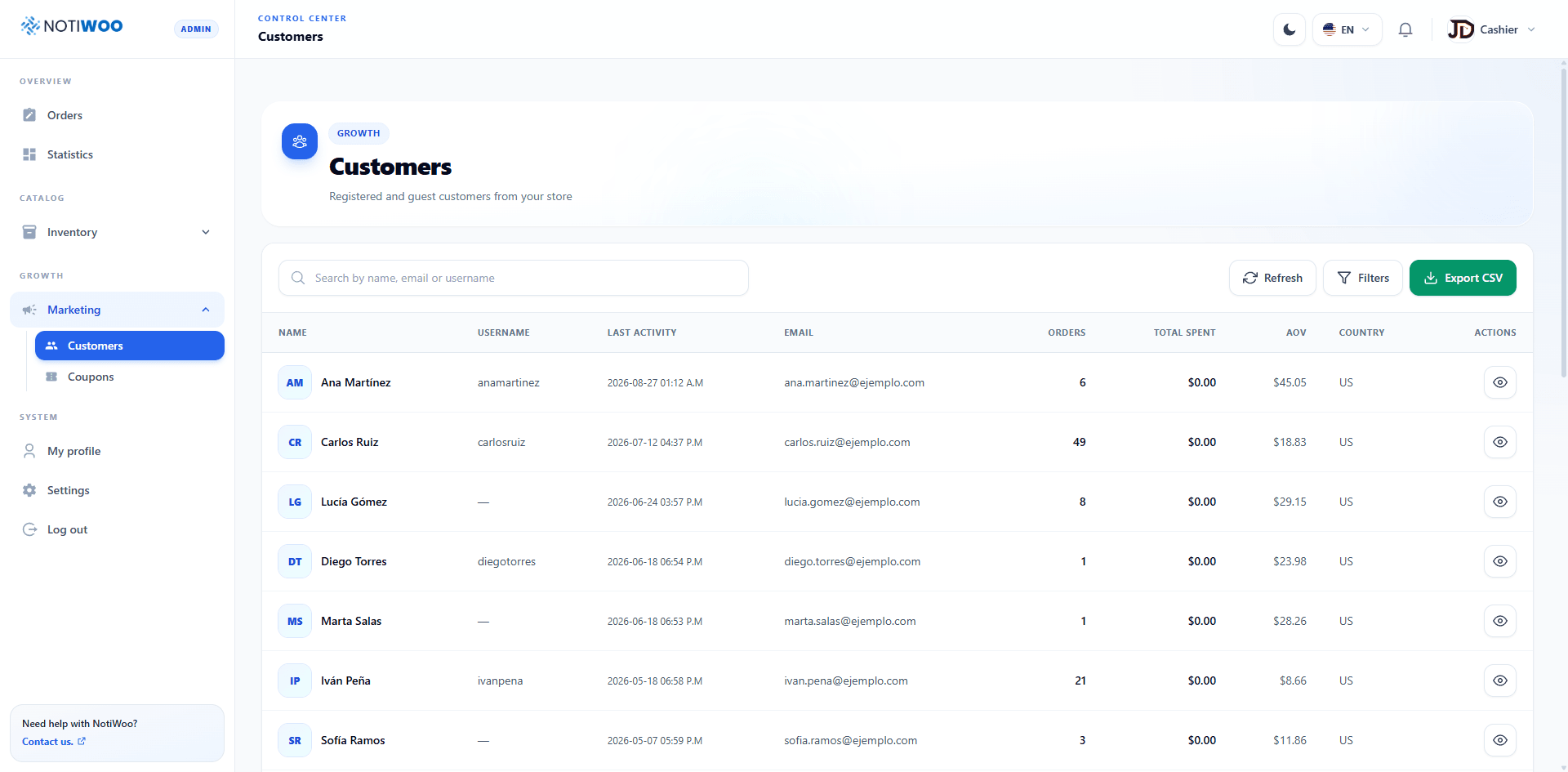
On mobile, essential data remains visible and the table can scroll horizontally.
Search, refresh, and export
- Enter a name, username, or email in the search field and submit the search.
- Use Refresh to query WooCommerce again.
- Select Export CSV to download every customer matching the active filters, not only the visible page.
- Adjust rows per page from the pagination controls below the table.
The CSV includes account details, dates, metrics, and location. Remember that it contains personal data before sharing it.
Filters
The Filters button opens a side drawer and displays the number of active criteria. You can combine:
- sorting by last activity, registration, name, username, orders, total spent, or average order value;
- ascending or descending direction;
- country using a two-letter code such as
CO,US, orMX; - minimum and maximum order counts;
- minimum and maximum spend;
- registration date range;
- last-active date range.
Use Clear filters to recover the complete list and Apply to close the drawer with the current criteria.
Customer detail
A row action opens a read-only modal with:
- Account: name, username, email, registration, and last activity.
- Metrics: orders, total spent, and average order value.
- Location: country, region, city, postcode, and combined location.
The header distinguishes registered customers from guests and shows the available identifiers.
NOTIWOO does not edit customers from this screen. Make corrections in WooCommerce and then select Refresh. Do not attach the CSV or screenshots containing real emails or locations to public tickets.