Bulk catalog changes
Requires plugin 1.26.0 or later and catalog.bulk permission, granted to administrators by default. Permission to edit products does not automatically grant bulk changes.
Select the scope
Filter the collection first, then select items. Select page includes only rows on that page; Select all matching may include results from other pages. Review the count before continuing.
Review and apply
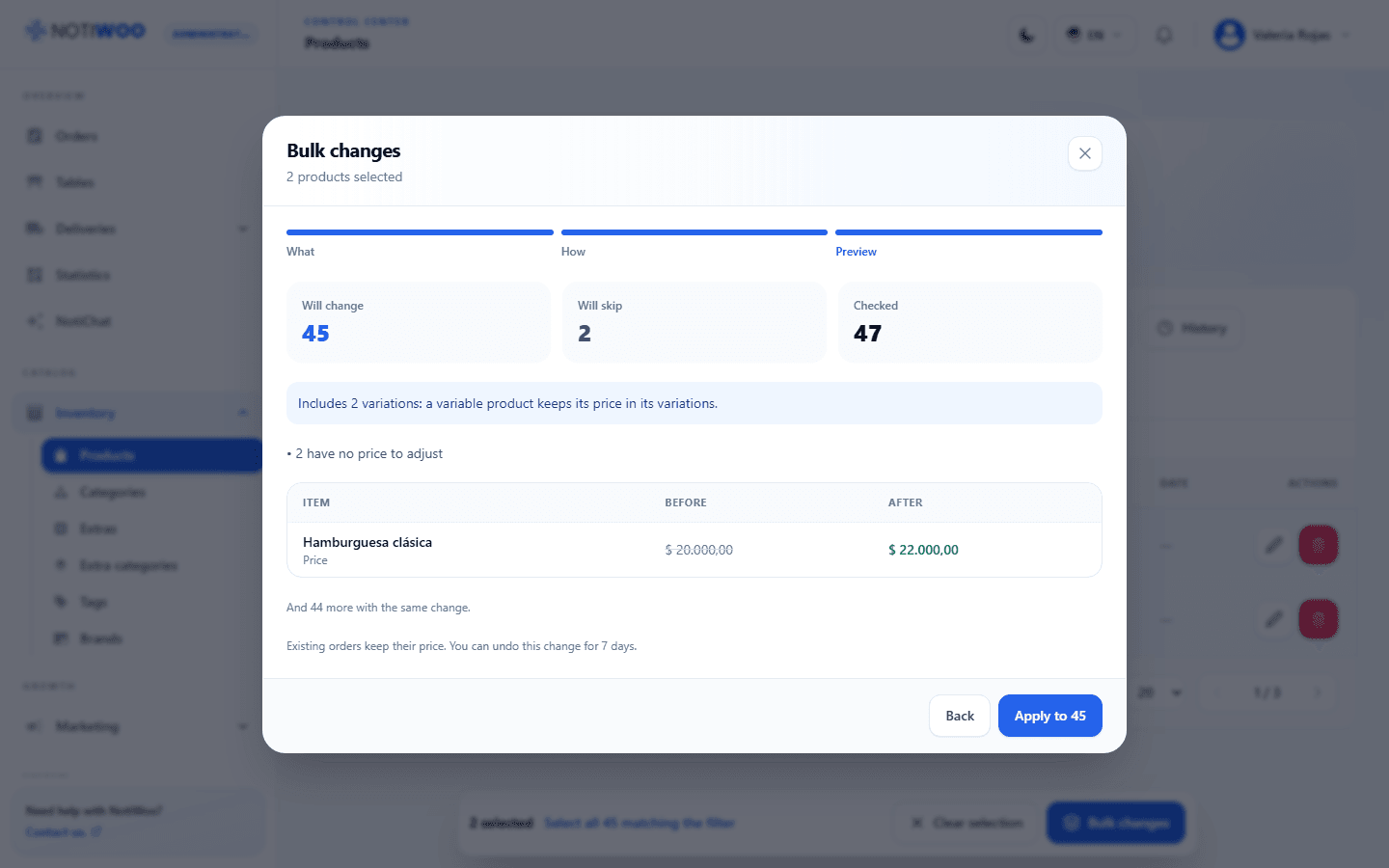
- Open Bulk changes and choose what to change. Available operations depend on the collection.
- Set how to change it, such as increasing prices by a percentage and rounding.
- Open the preview. Review old and new values, included variations and skipped items.
- Check the total and confirm. Some destructive operations require typing the displayed number.
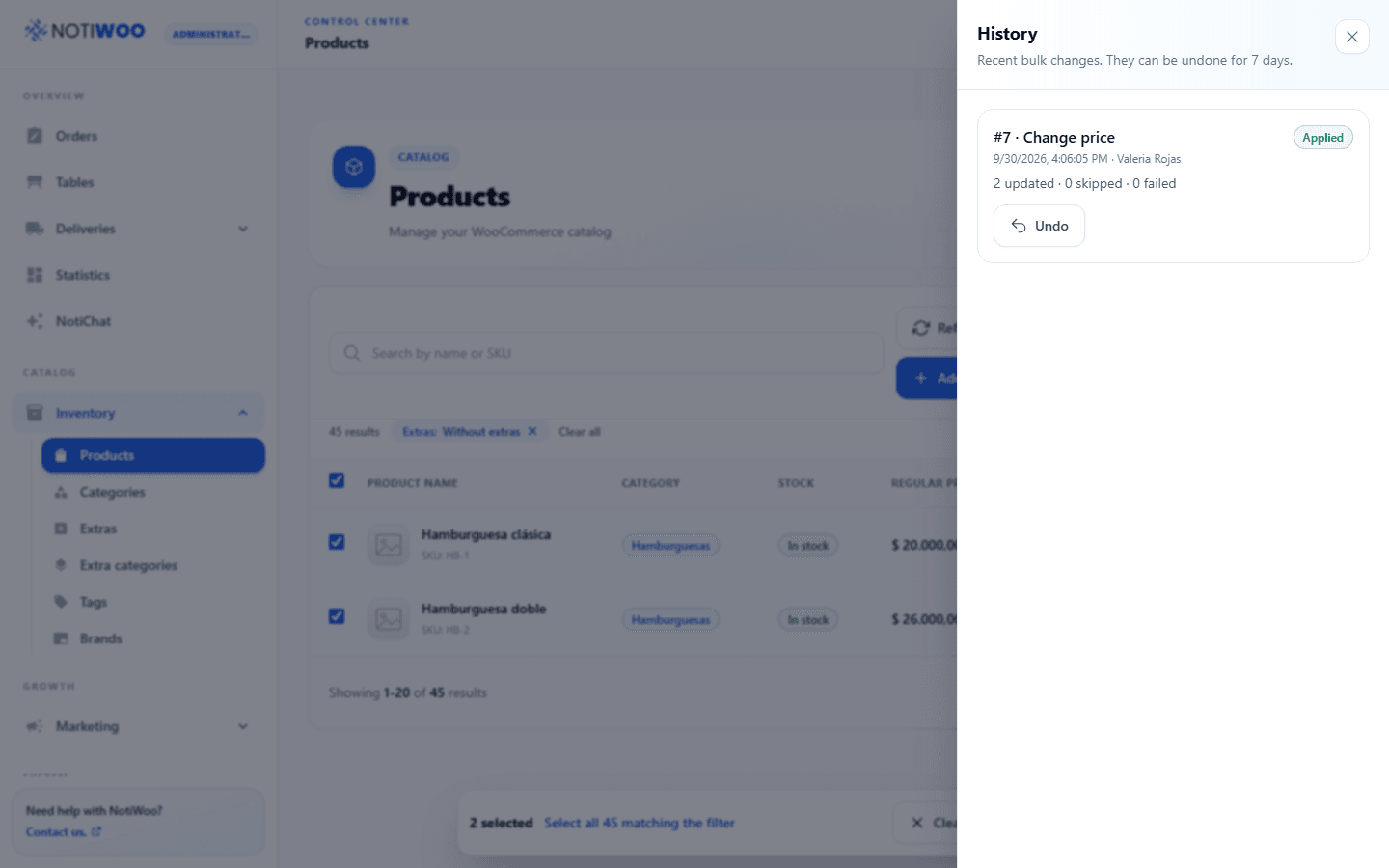
- Wait for the result and review updated, skipped and failed items.
A skipped row has not been updated. Correct the cause before including it again.
History and undo
Open History to inspect each job. Undo is available for 7 days where the operation supports it. An item changed again afterward may be skipped during restoration to avoid overwriting the later change; review the reversal result.
Tags and brands can be merged where the action is available. Review the destination term and affected relationships before confirming.