Customer storefront experience
Test the full journey after changing services, extras, tables or loyalty.
Catalog and cart
Customers browse categories, open Choose options, select extras and add a note when needed. Check that the cart preserves the product, variation, extras and price.
Checkout
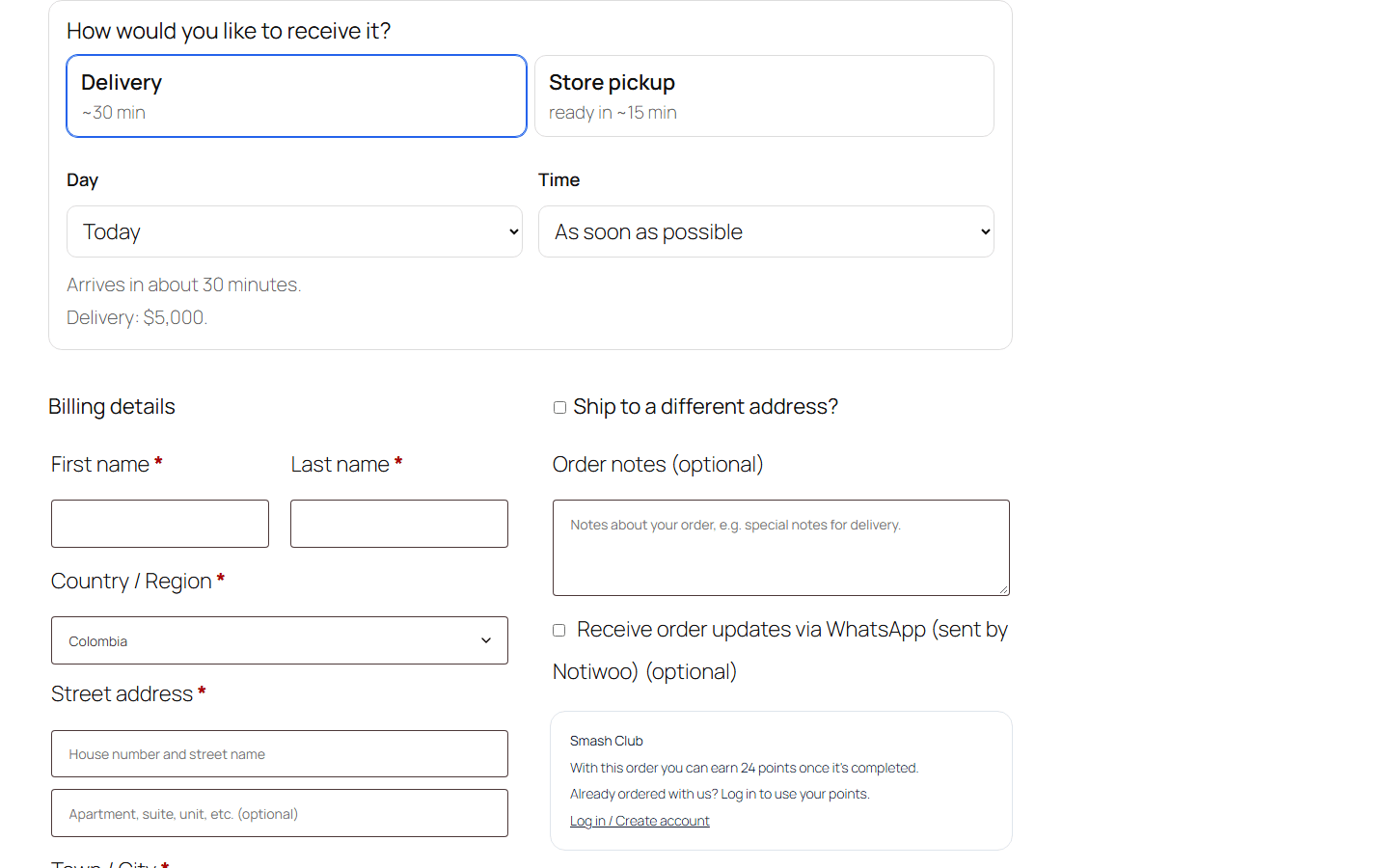
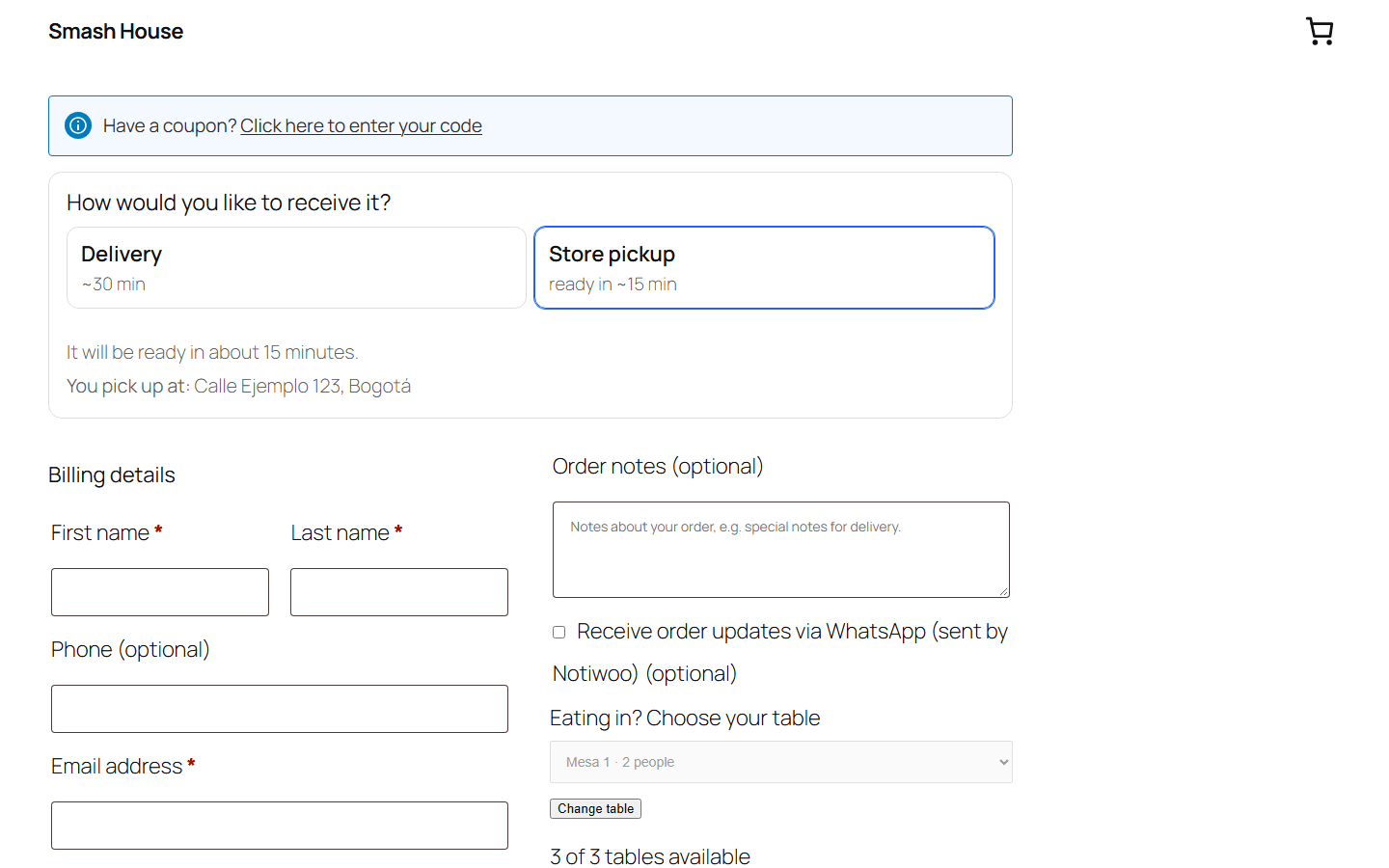
Under How would you like to receive it?, customers choose Delivery or Pickup. Table service is a Pickup option. Depending on configuration, checkout shows date, time, estimated preparation, minimum order and table selection.
For delivery, the address and selected point help check coverage and pricing. The map, pin and GPS require the corresponding configuration and browser permission. An address outside coverage may prevent checkout.
The WhatsApp checkbox is optional and starts unchecked. It records the customer's choice for each order: do not select it on their behalf. The order stores whether they agreed, when, and from which checkout. With the box checked, the customer receives the WhatsApp updates the store has enabled.
Table orders and tracking
A QR link with the notiwoo_table parameter identifies a table. Check that it matches the physical table and the order shows Dine-in.
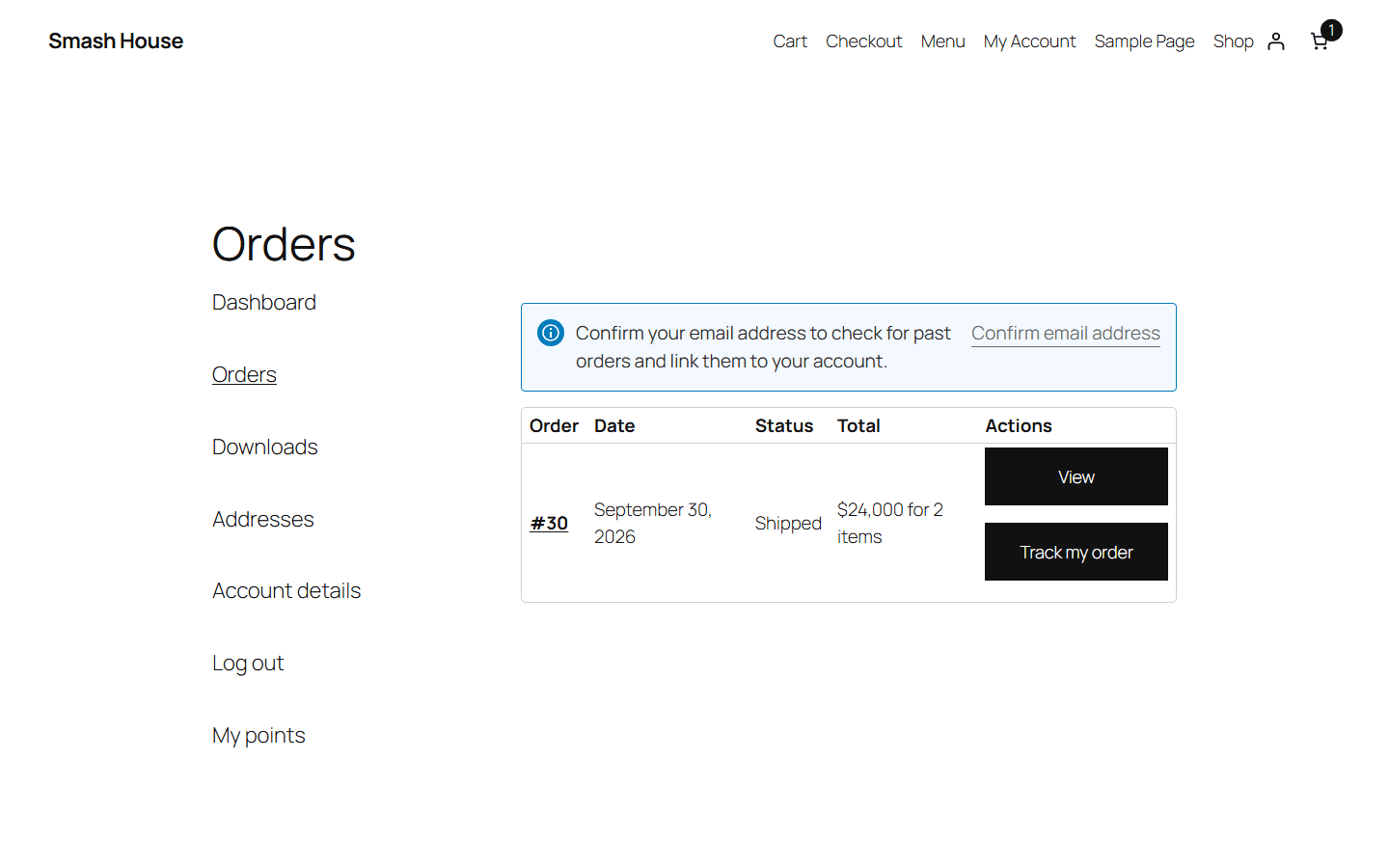
After dispatch, Track my order appears when a tracking link has been saved for that order. Customers can open it from My account or the corresponding email. See tracking.